WorkXR · Game UI
HumanOverride
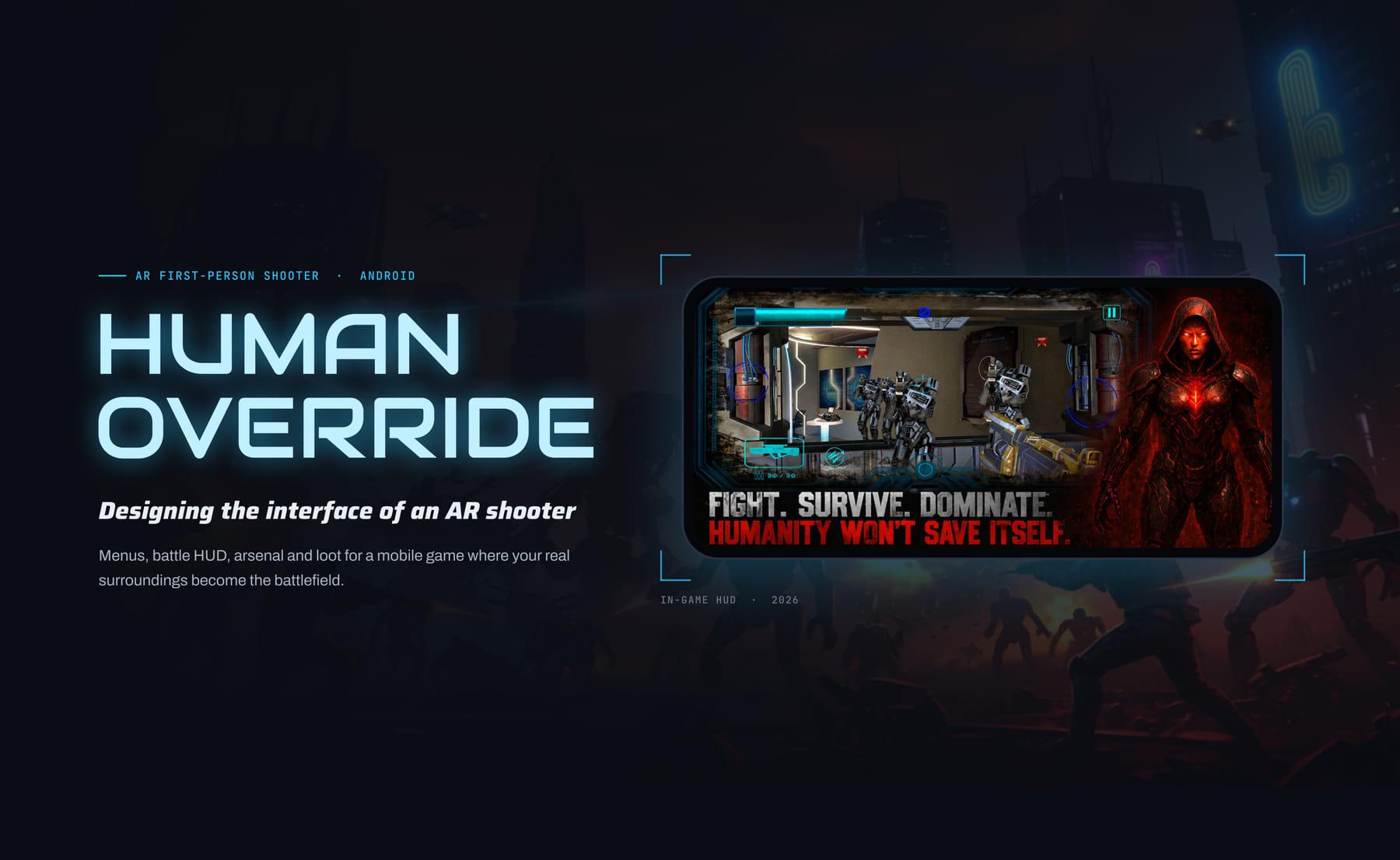
The interface for an AR shooter where robots pour out of portals that open in your actual room.
- 500+Play Store downloads
- 4.1★Play Store rating
- 6Screen systems designed
- LiveShipped on Android
Context
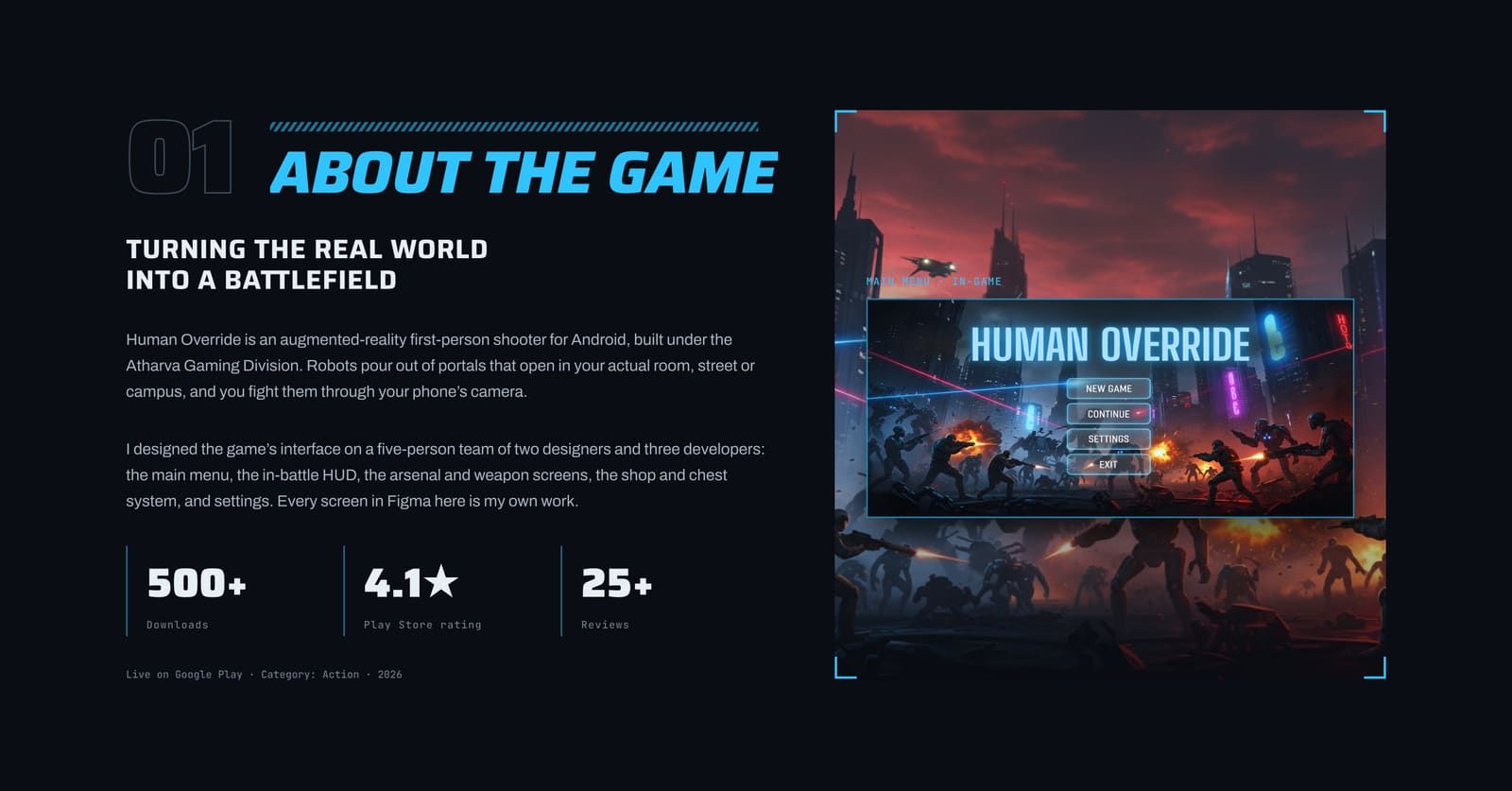
Human Override is an augmented-reality first-person shooter for Android, built under the Atharva Gaming Division. Robots pour out of portals that open in your actual room, street or campus, and you fight them through your phone camera. On a team of five, I designed the main menu, the in-battle HUD, the arsenal and weapon screens, the shop and chest system, and settings.
The challenge
In a normal game the designer controls every pixel behind the UI. In AR the background is the player's camera feed: a bright window, a dark corridor, a busy street, changing every second. The interface has to stay readable and usable on top of anything.
- Unpredictable backgrounds, so contrast changes every second.
- Thumbs cover the screen, because the phone is held in landscape with both hands.
- Players are moving, so glanceable beats detailed.
- Outdoor glare washes out thin, low-contrast UI.
Research
Before designing anything I studied Hunting Clash, a mobile shooter with a mature weapon economy, for how it presents guns, stats, upgrades and chests, and worked out what would and would not survive the move to a landscape AR game.
- Adopted: stat bars on every gun so weapons compare at a glance, a card collection that unlocks the next upgrade level, a power rating badge, and chest tiers as the reward loop.
- Adapted: portrait layouts became landscape, bright cartoon panels became dark sci-fi frames, and dense gun lists became fewer, larger cards that still read on a camera feed.
What I designed
A HUD with a clear centre
Everything at the edges inside one glowing frame, because in AR the middle of the screen is where the player is aiming.
Two fire buttons
One under each thumb, so players can shoot with either hand without changing grip.
Readouts where thumbs rest
Health large and bright, weapon and ammo above the left thumb, score centred at the top where the eye rests between targets.
Arsenal and weapon info
Fewer, larger gun cards with stat bars and a power rating, so weapons compare at a glance mid-session.
Shop and chests
Three chest tiers with the price on the button, and an open sequence that earns the reward rather than just granting it.
What I took from it
- Design for the worst background. Testing on real phones in real rooms showed thin lines and flat colours vanish on camera; glow and double outlines fixed it.
- The centre belongs to the player. Every iteration moved something out of the middle of the screen, because in AR the world is the content.
- Concept fast, build carefully. Quick mockups explored the chest and arsenal moods early; the final, buildable UI was then drawn in Figma.
Outcome
Live on Google Play under the Atharva Gaming Division, with 500+ downloads and a 4.1 star rating.
Every section, in order.
12 boards from the HumanOverride deck, start to finish.
01About 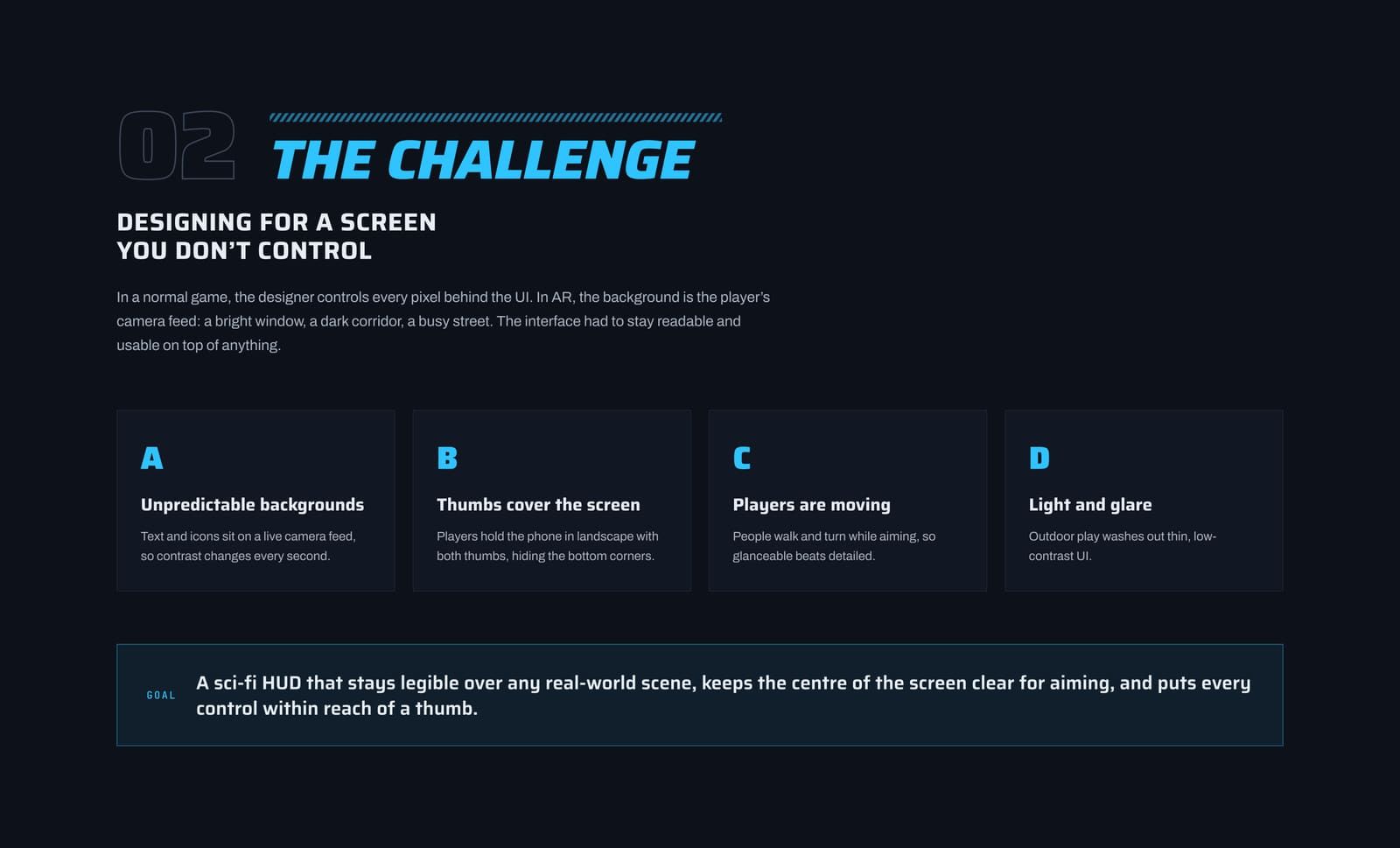
02Challenge 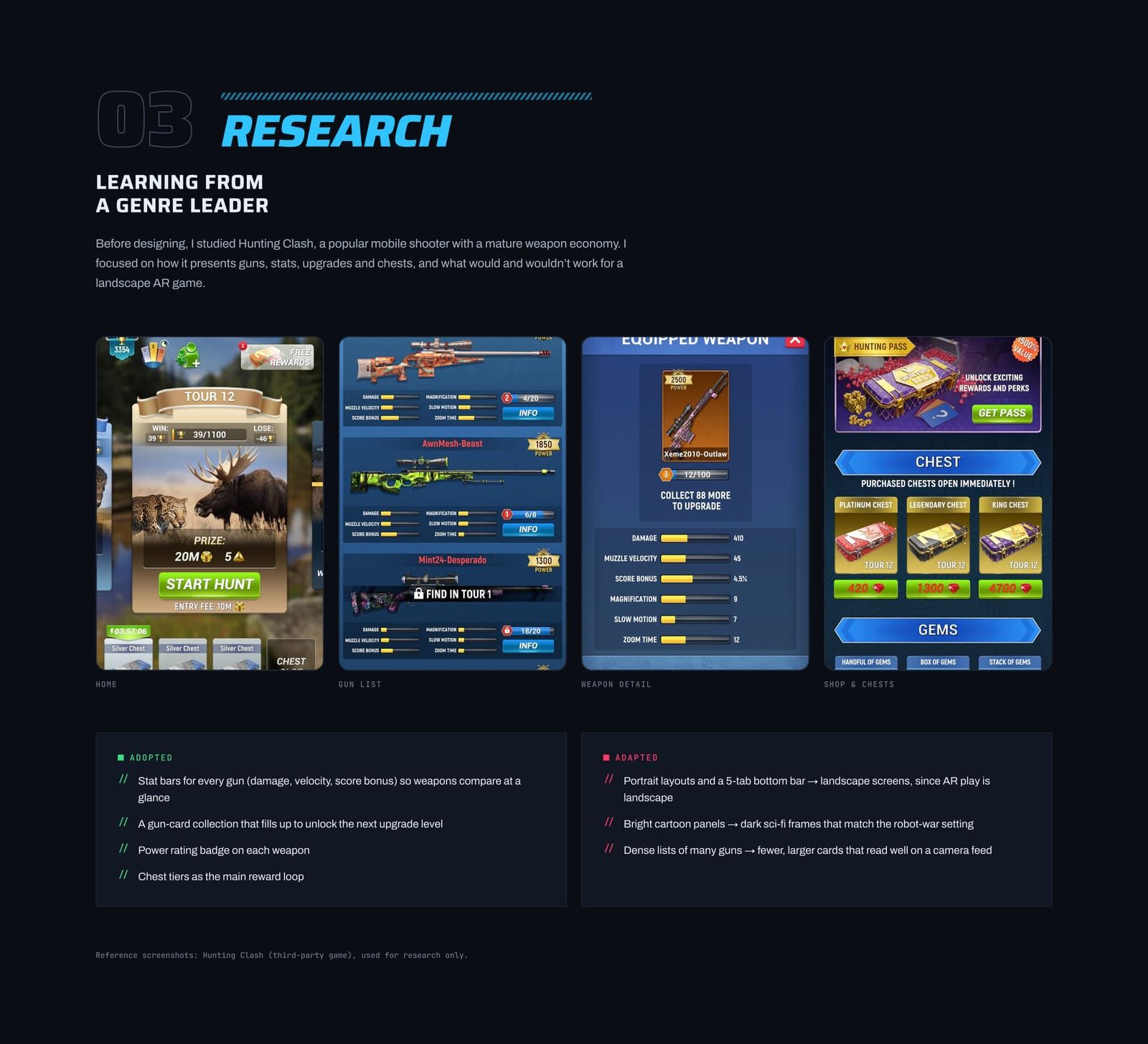
03References 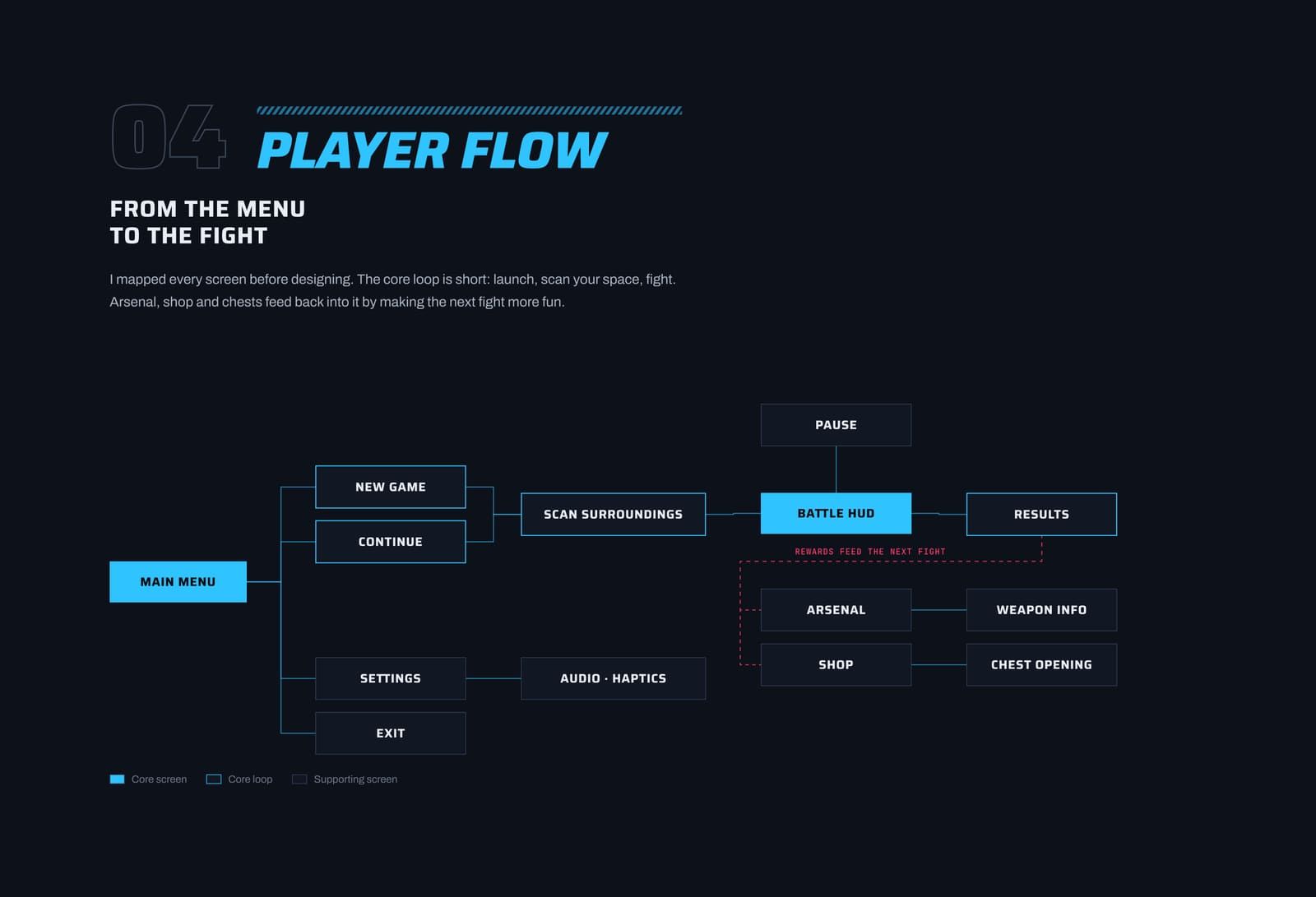
04Player flow 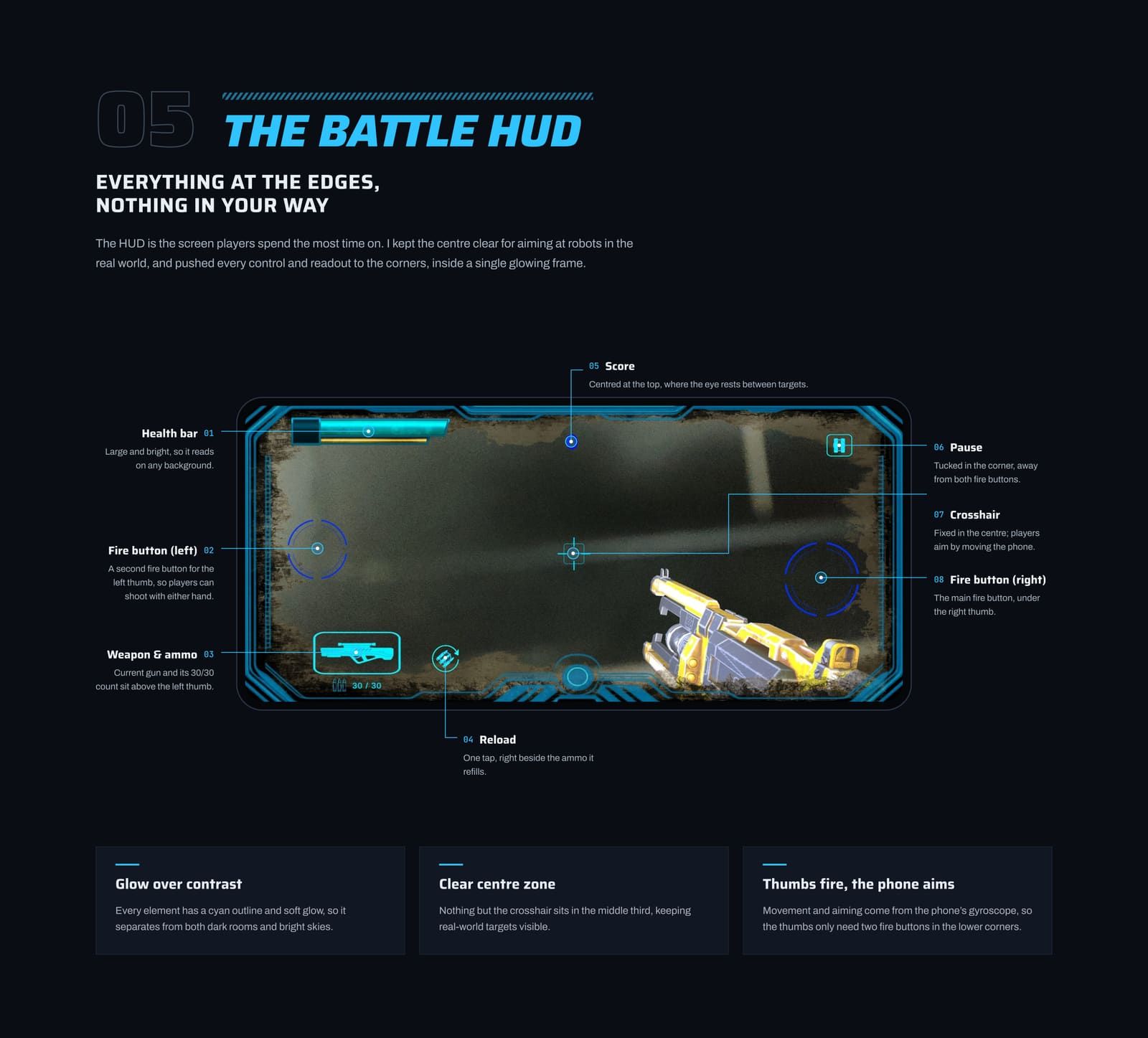
05HUD breakdown 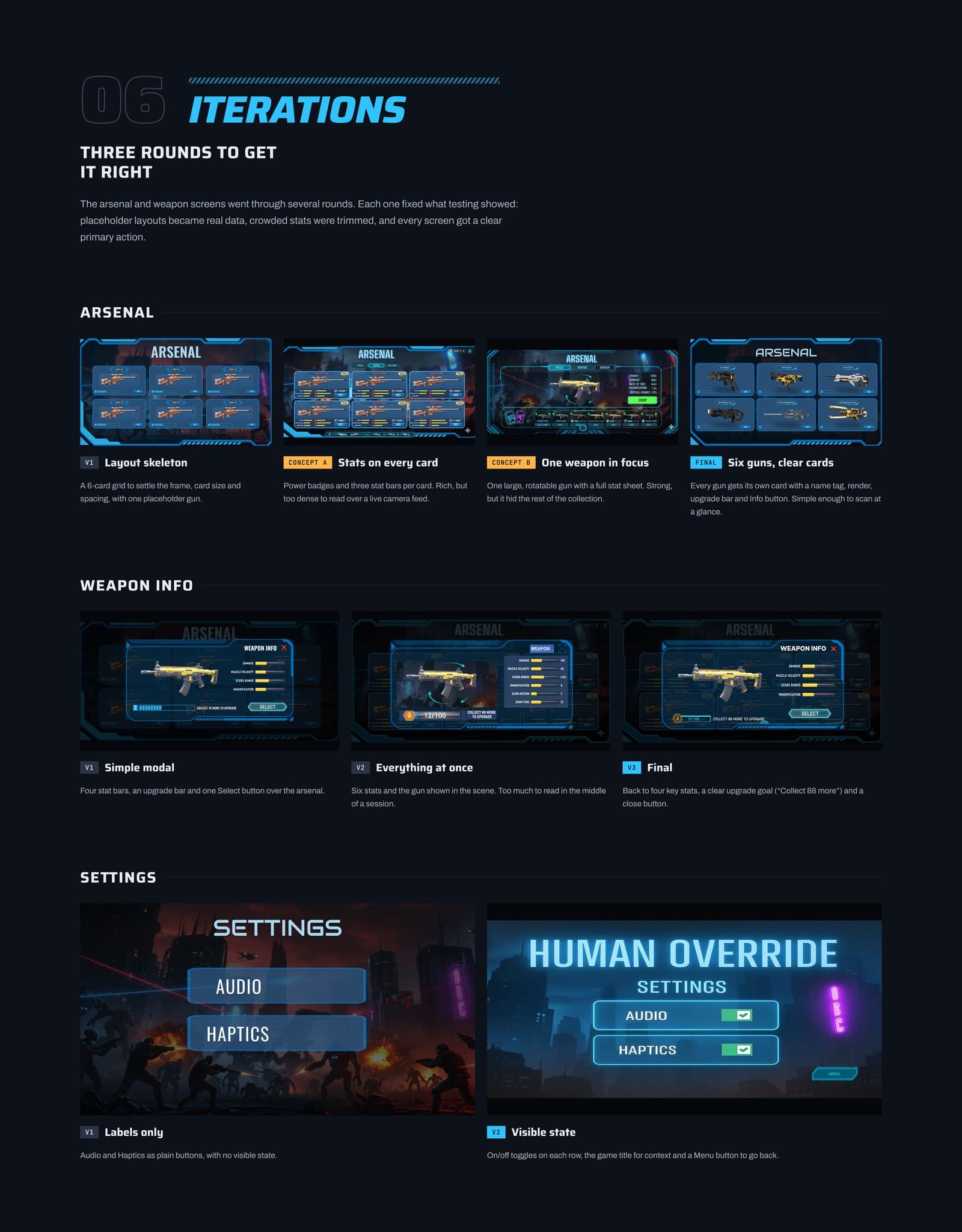
06Iterations 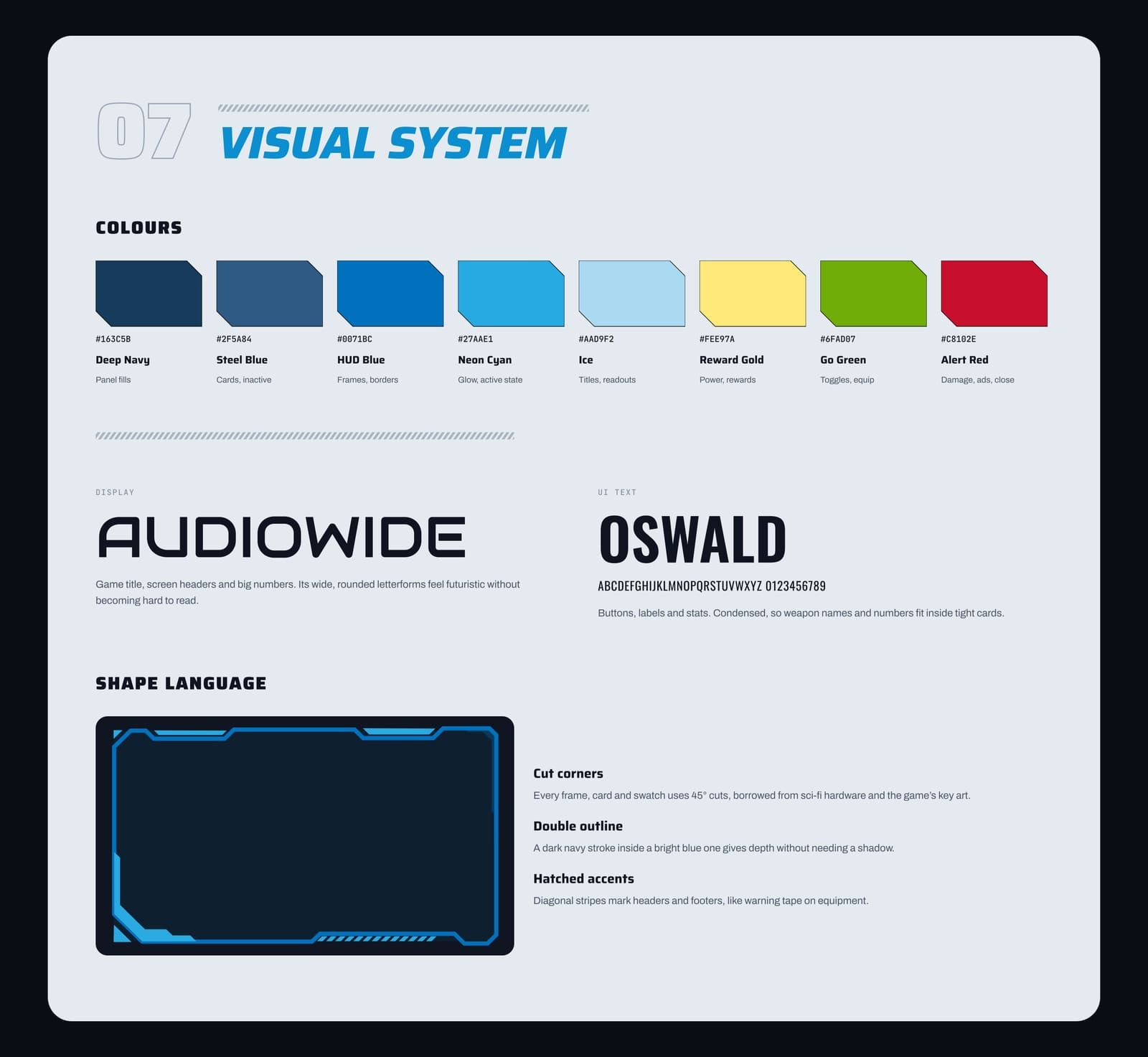
07Visual system 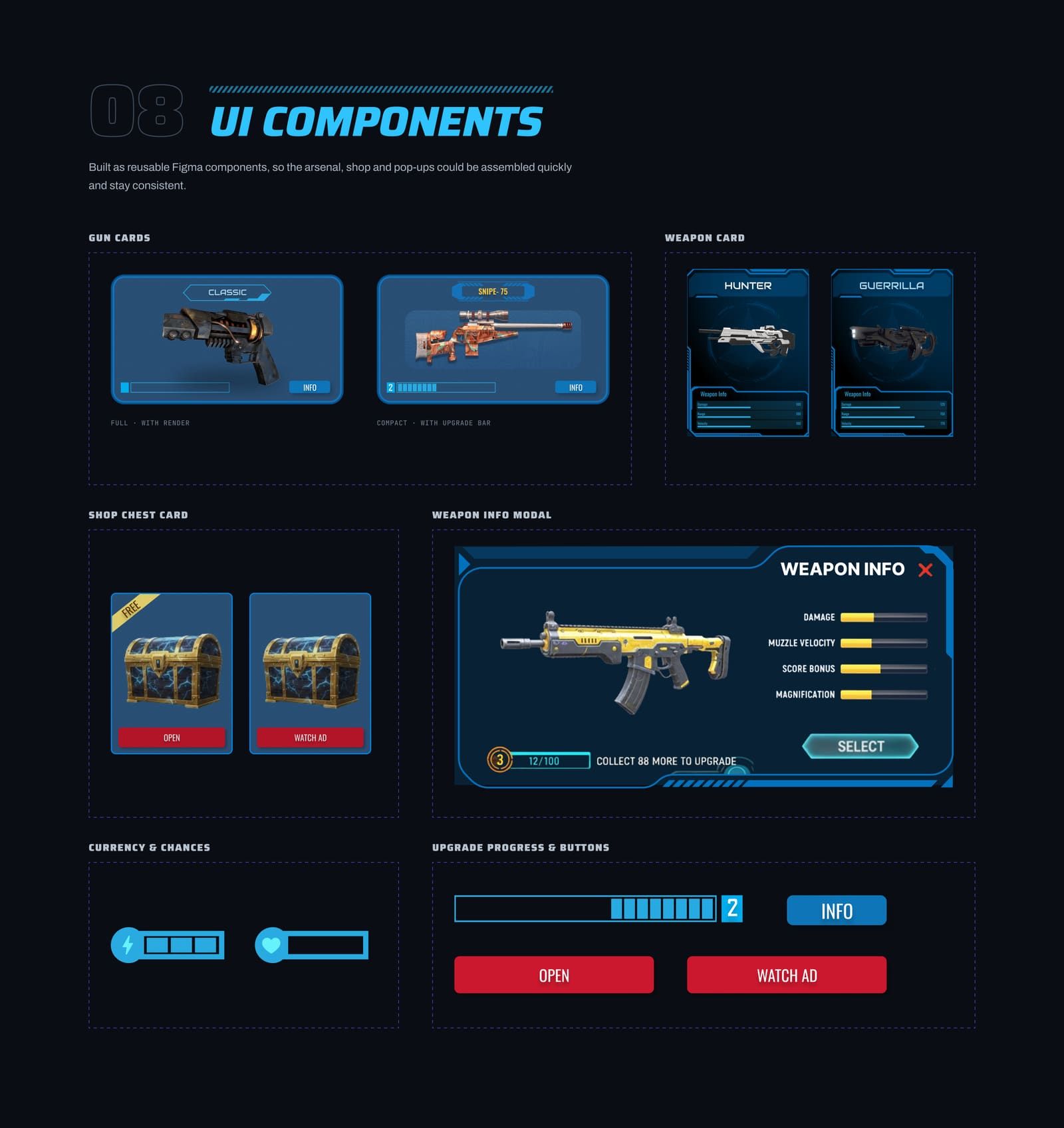
08UI components 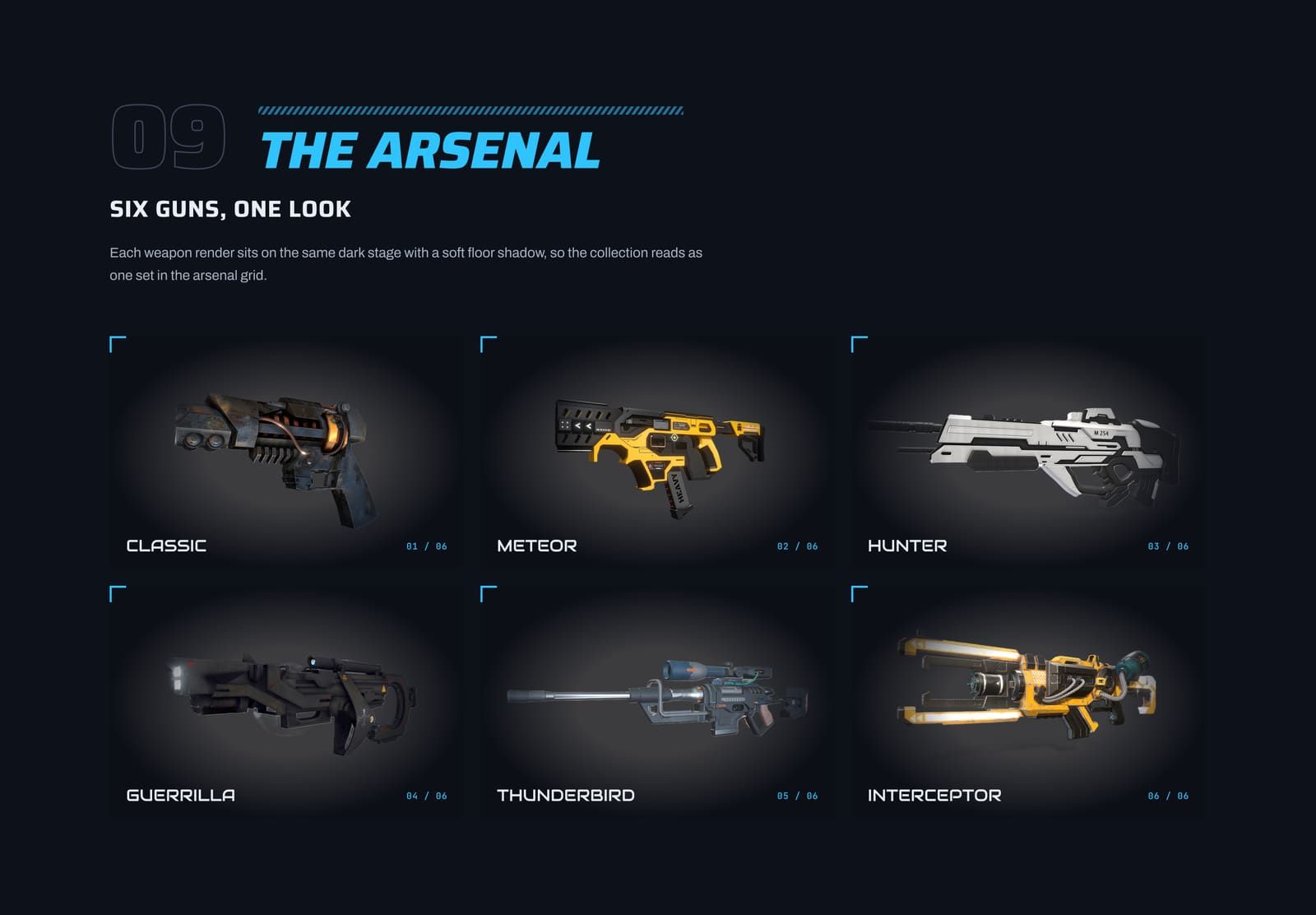
09Weapons 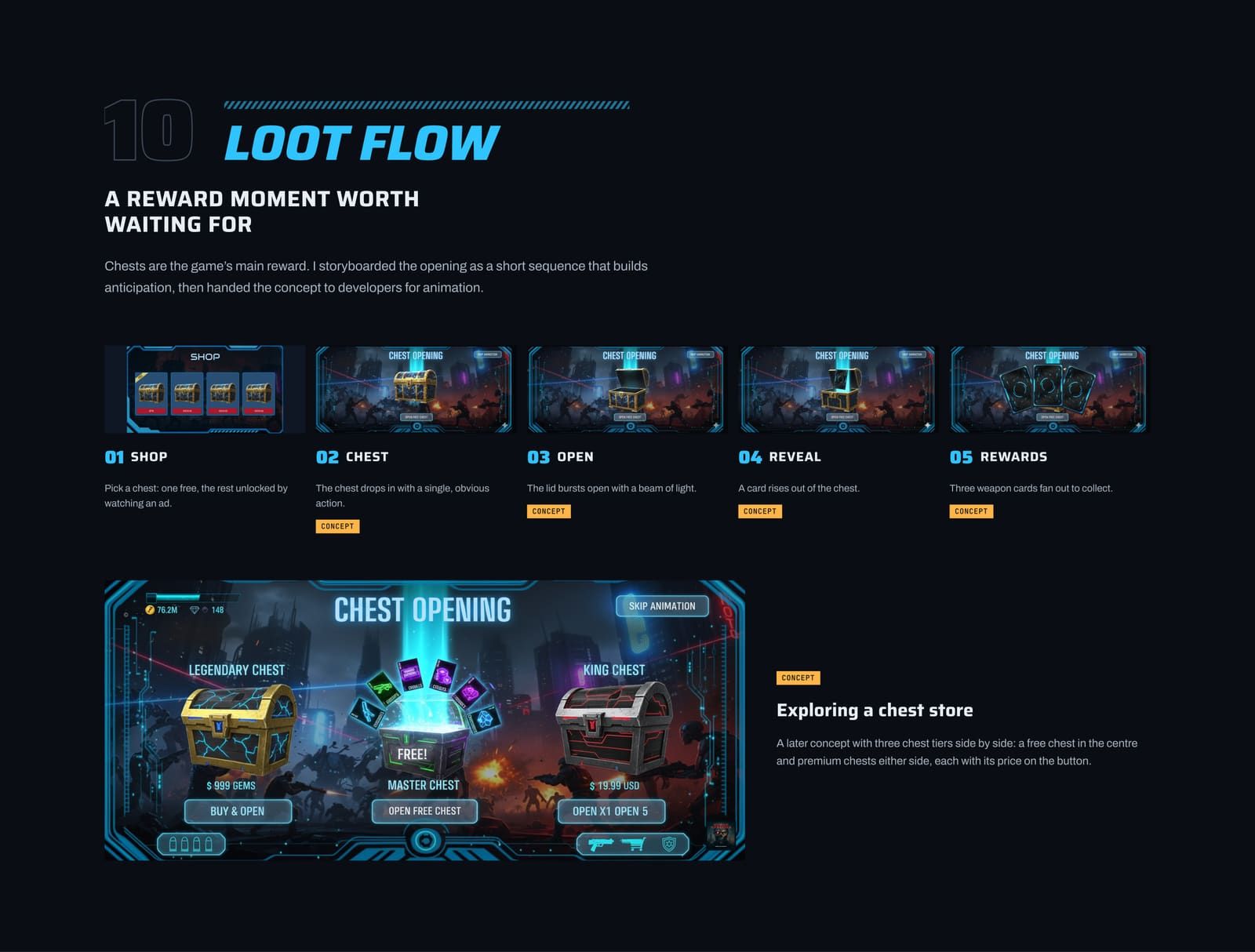
10Chest opening 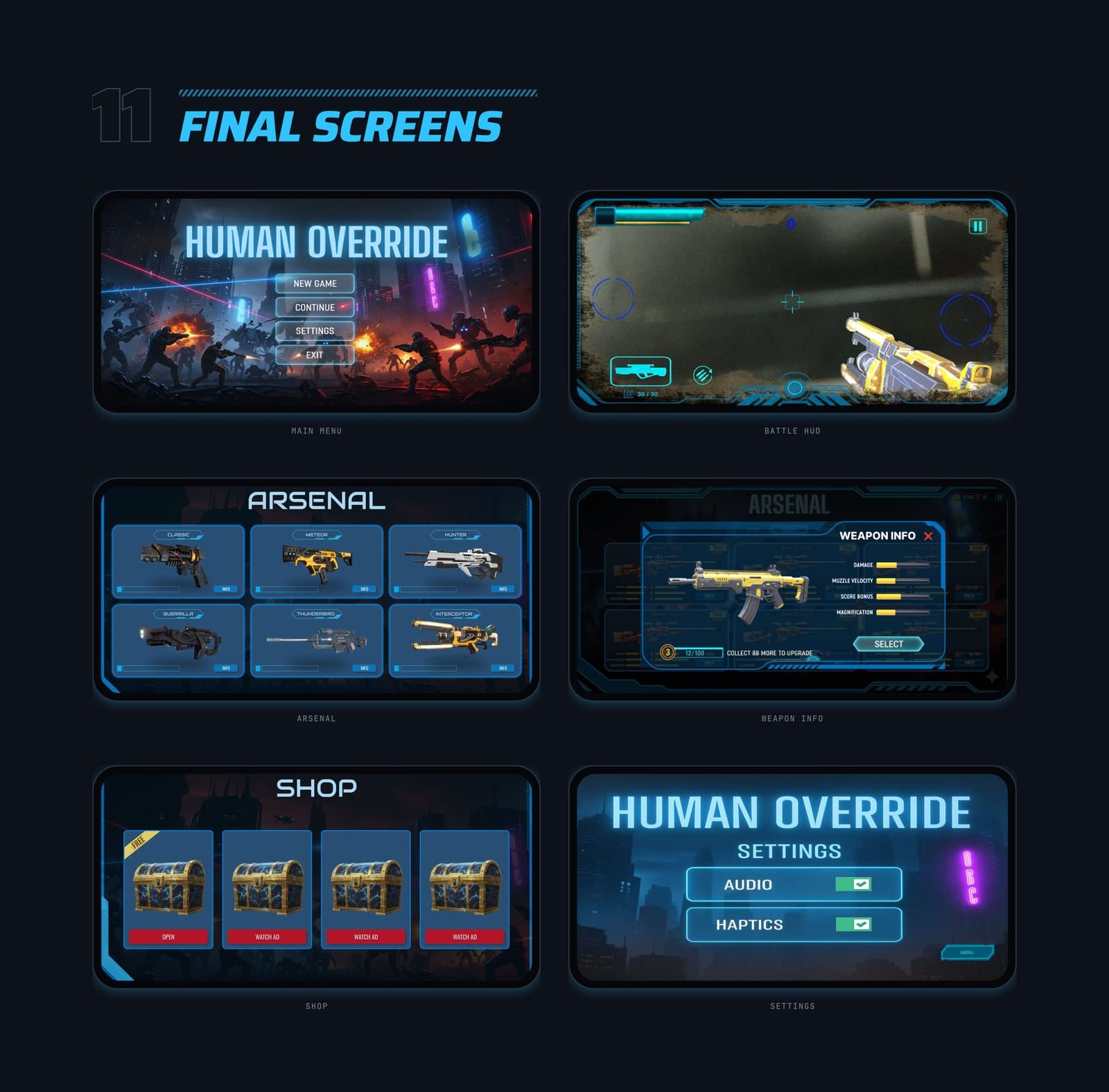
11Final screens 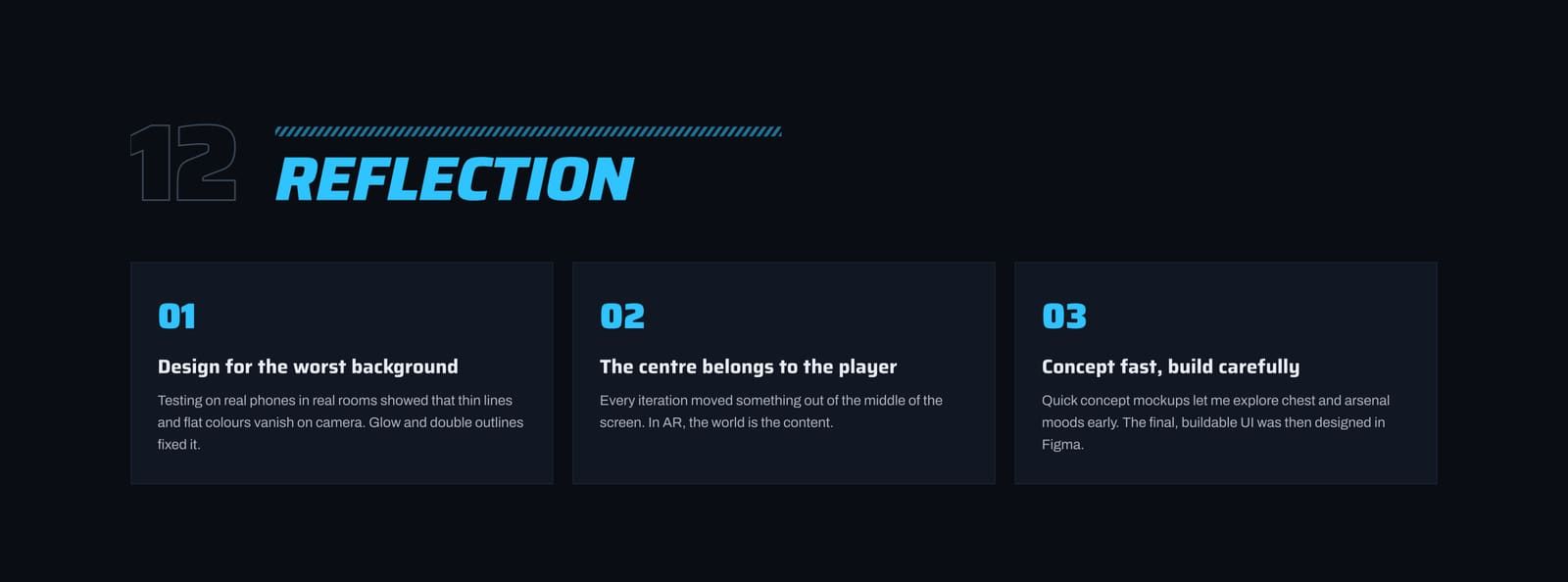
12Reflection
More case studies
 Product · Web · App
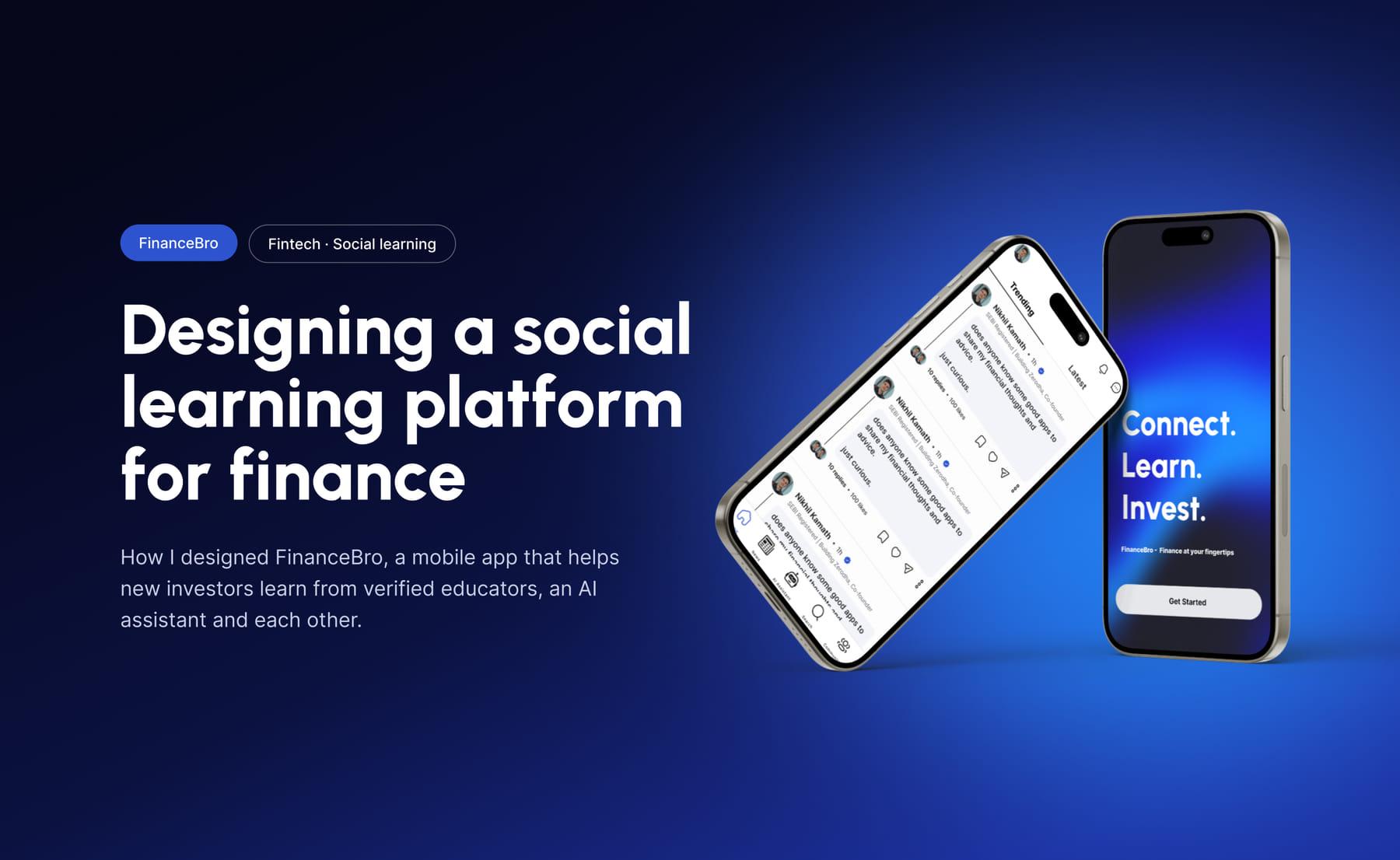
FinanceBro
Product Designer
A fintech learning platform for new investors in India. Community discussions with SEBI-registered educators, an AI finance assistant, market news and topic-based communities in one app, so beginners learn in one place instead of wading through scattered, conflicting advice. The prototype won 2nd place at Executive's Pitch 2025.
- Figma
- Competitor Analysis
- Prototyping
 UX/UI · App
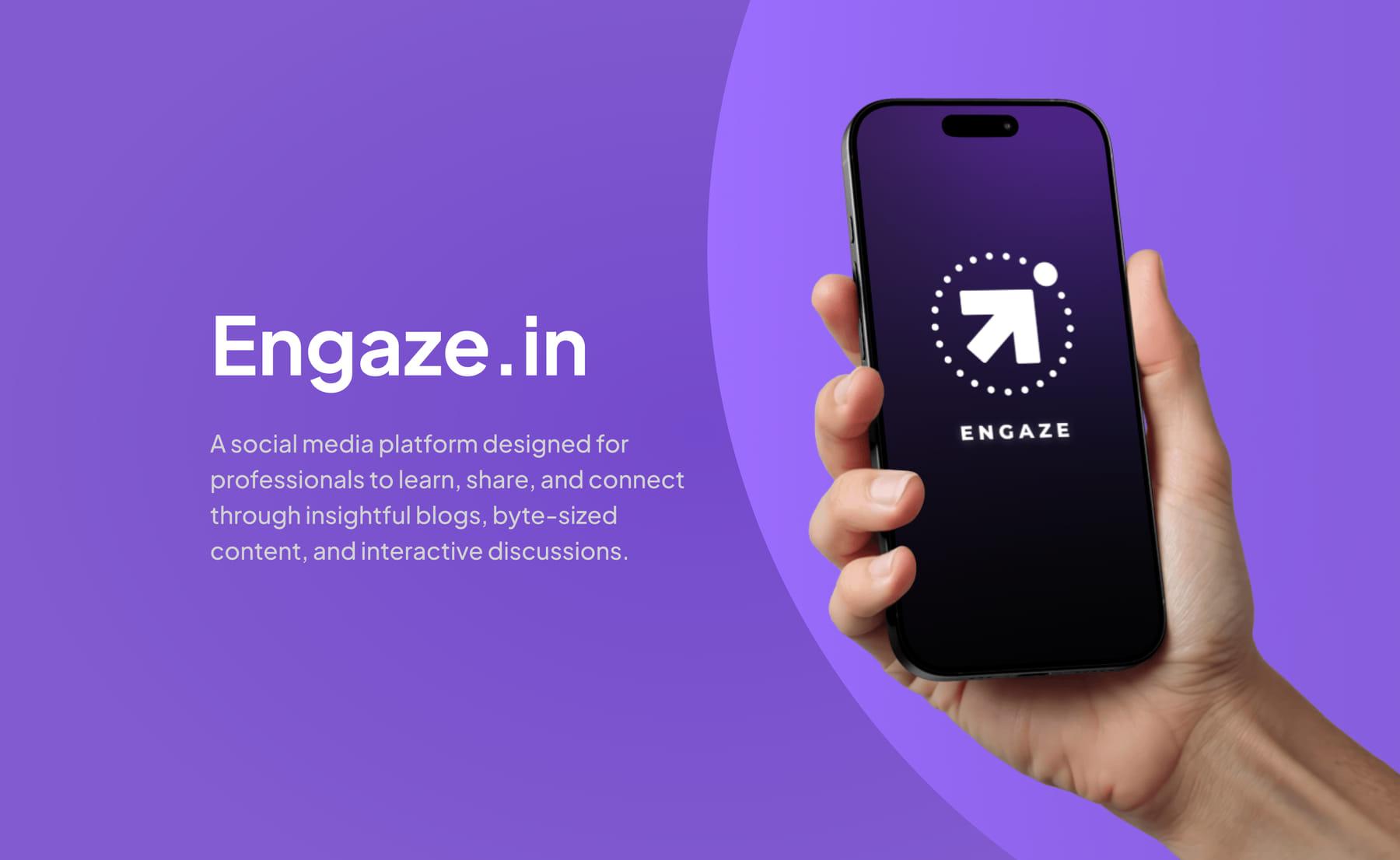
Engaze
UI/UX Designer · Intern
A social platform where professionals learn, share and connect through blogs, byte-sized content and discussions. I designed a clutter-free feed, credibility-first profiles and swipe-based job matching, so time spent on the app turns into professional growth rather than mindless scrolling.
- Figma
- User Research
- Prototyping
 Product · Web · App
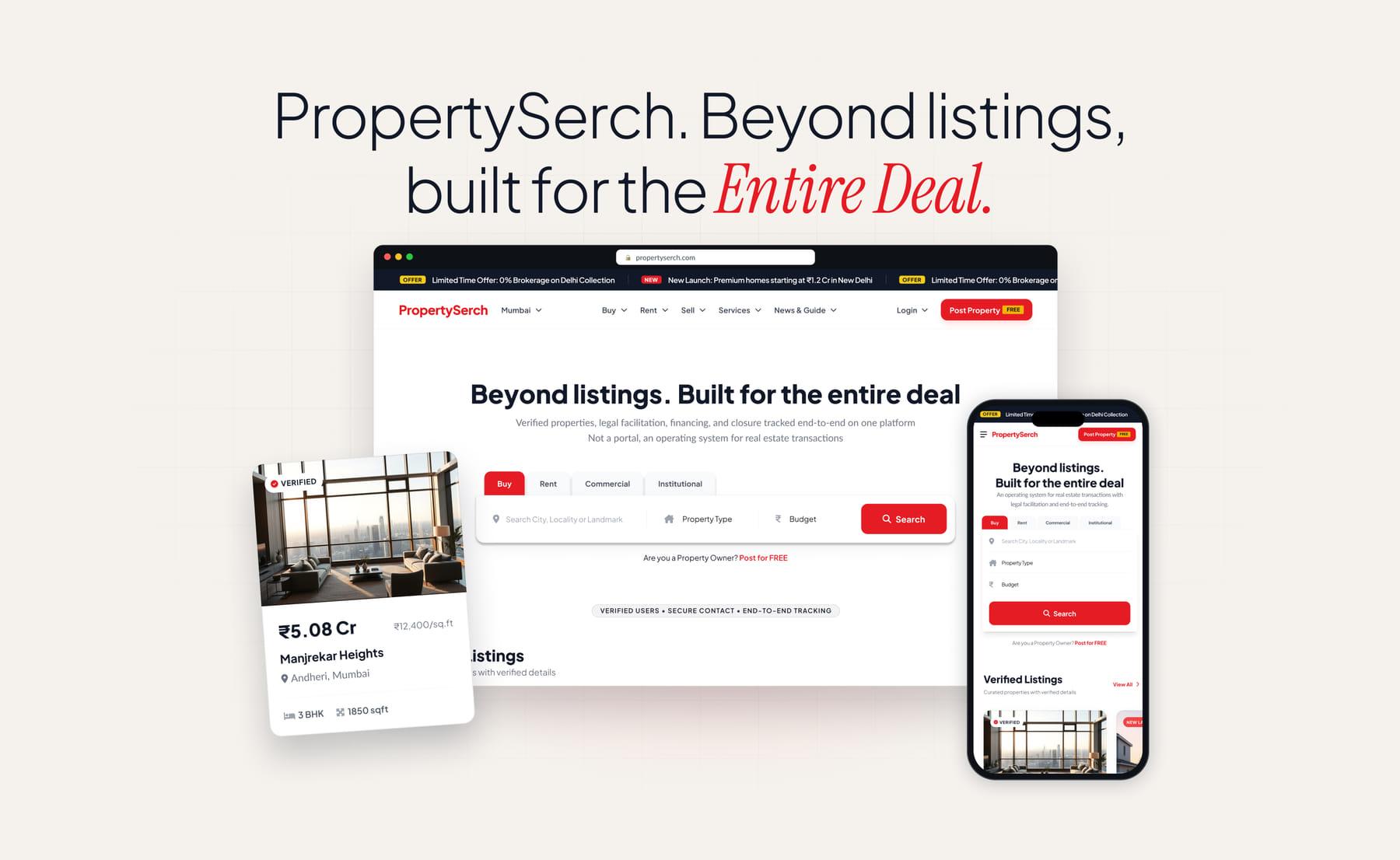
PropertySerch
Product Designer
A verified real estate marketplace where search, enquiries, site visits, legal help and financing all happen on one platform, and every contact goes through it. Fifteen web pages and thirteen mobile screens, designed end to end and handed to developers as a responsive web app and PWA.
- Figma
- Web App
- Responsive Design
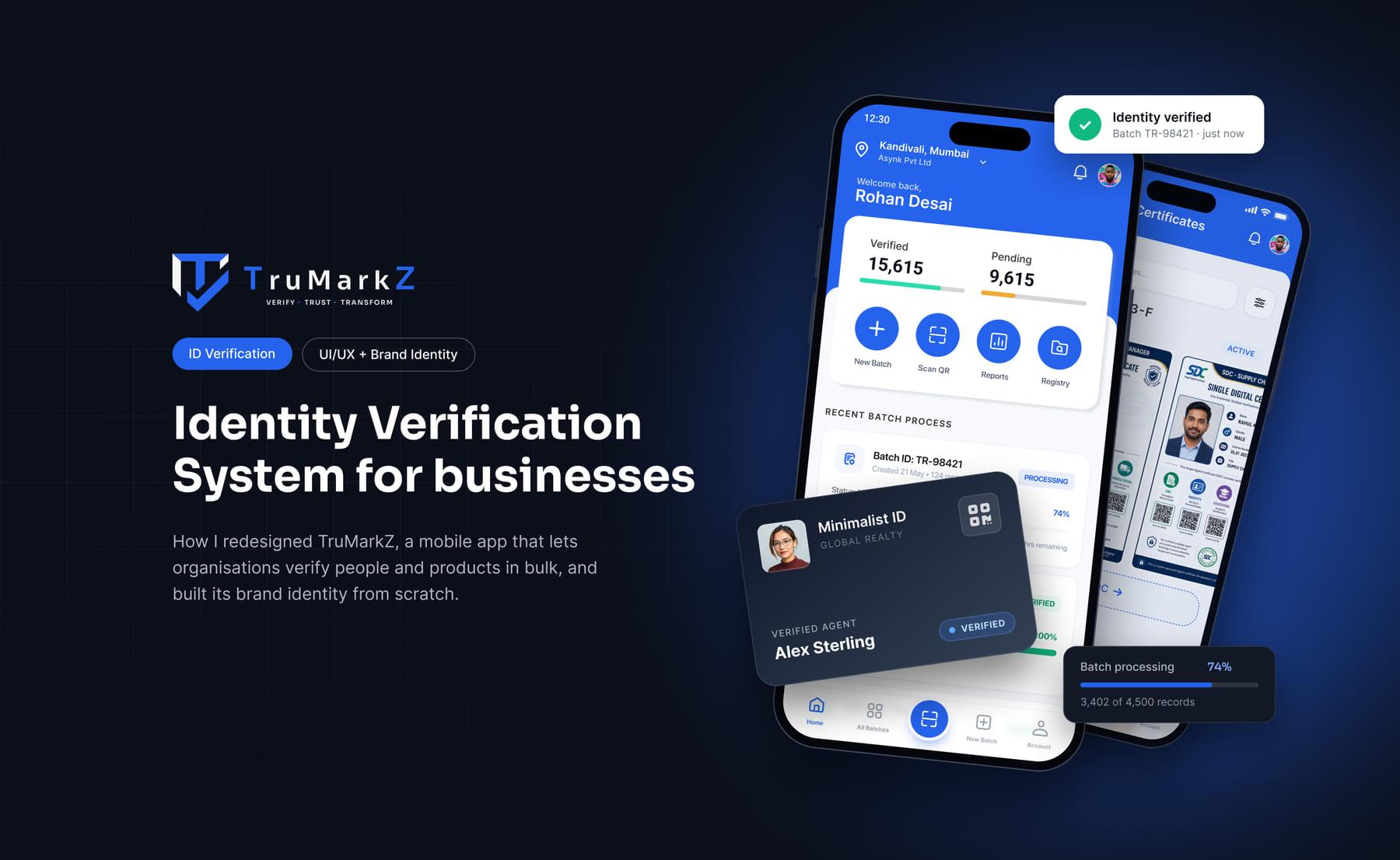 Product · Brand · App
TruMarkZ
Product & Brand Designer
A B2B platform for running identity and background checks in bulk, and for issuing blockchain-backed certificates for products. I redesigned the first version of the mobile app and built the brand identity from scratch, around making a batch, what it costs and how far along it is all visible at a glance.
- Figma
- Brand Identity
- Mobile App
Let's connect
Got an idea?
Let's bring it to life.
Whether it's a product, a website or a VR experience, I'd love to hear what you're working on.